Blogs /Technical SEO Checklist for Beginners in 2026: Step-by-Step Guide

Published on 21 December, 2025

Read time 6 min

Technical SEO Checklist for Beginners in 2026: Step-by-Step Guide

Follow Us:

Technical SEO Checklist for Beginners in 2026: Step-by-Step Guide

Technical SEO Checklist for Beginners in 2026: Step-by-Step Guide

If you are new to SEO, you may think that publishing great content is enough to rank on Google. But in 2026, search engines are smarter than ever, and technical SEO plays a crucial role in determining whether your website performs well or gets lost in the search results. A strong technical SEO checklist 2026 ensures your site is crawlable, fast, secure, and optimized for both users and search engines.

Whether you are a blogger, small business owner, or launching a new website, this beginner technical SEO guide will walk you through everything step by step. We will cover technical SEO basics, common mistakes, and provide a complete technical SEO audit checklist to help you improve rankings and user experience.

What Is Technical SEO for Beginners?

Technical SEO refers to optimizing the backend and infrastructure of your website so that search engines like Google can easily crawl, index, and understand your pages. Unlike content SEO, which focuses on keywords and articles, technical SEO focuses on the site’s foundation, including speed, security, mobile-friendliness, and indexing.
For beginners, understanding what is technical SEO for beginners is the first step toward building a strong website. Key areas include:

  • Website speed and performance
  • Mobile usability and responsive design
  • Secure browsing (HTTPS)
  • Crawlability and indexing
  • Structured data and site structure

By following a website technical SEO checklist, you can ensure your site is technically sound and ready for ranking.

Is Technical SEO Important in 2025 and 2026?

Yes! Many new website owners underestimate technical SEO, thinking content alone is enough. But Google and other search engines have shifted their focus to user experience and technical performance.

In 2025 and 2026, technical SEO is critical because:

  • Google prioritizes mobile-first indexing – it evaluates the mobile version of your site first.
  • Core Web Vitals now affect rankings, including metrics like LCP (Largest Contentful Paint), CLS (Cumulative Layout Shift), and INP (Interaction to Next Paint).
  • AI-driven crawling ensures that poorly optimized sites may not get indexed properly.

By following this technical SEO checklist for Google ranking, beginners can stay ahead of the competition.
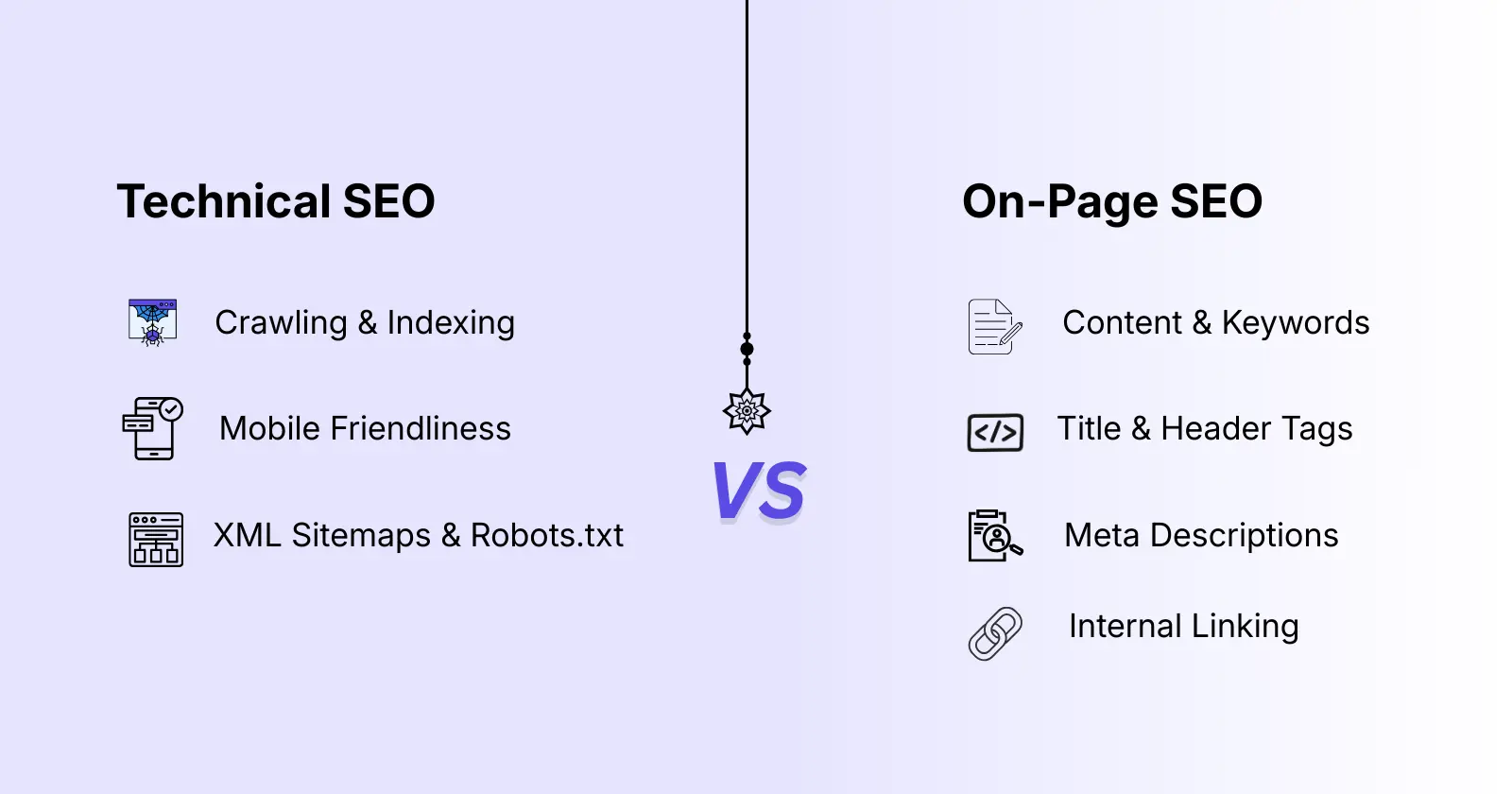
Technical SEO vs On-Page SEO

Technical seo checklist

A common question beginners ask is: technical SEO vs on page SEO – what’s the difference?

  • Technical SEO focuses on backend optimization, including site speed, security, crawlability, indexing, and structured data.
  • On-page SEO focuses on content, keywords, headings, meta descriptions, and internal linking.

Think of technical SEO as the foundation of a house. On-page SEO is the interior decoration. Without a solid foundation, your content may never reach the top of Google.

Technical SEO Basics You Must Know Before Starting

Before diving into the checklist, it’s important to understand technical SEO basics:

  • Crawling vs Indexing – Crawling is when Googlebot scans your pages; indexing is when your pages are stored in Google’s database.
  • Site Structure – A well-organized site ensures search engines understand your content hierarchy.
  • User Experience Signals – Site speed, mobile usability, and structured data contribute to better rankings.

This beginner technical SEO guide ensures that even beginners can follow a simple process without getting overwhelmed.

Technical SEO Checklist for Beginners in 2026 (Step-by-Step)

Here is a complete technical SEO checklist for beginners step by step, updated for 2026.
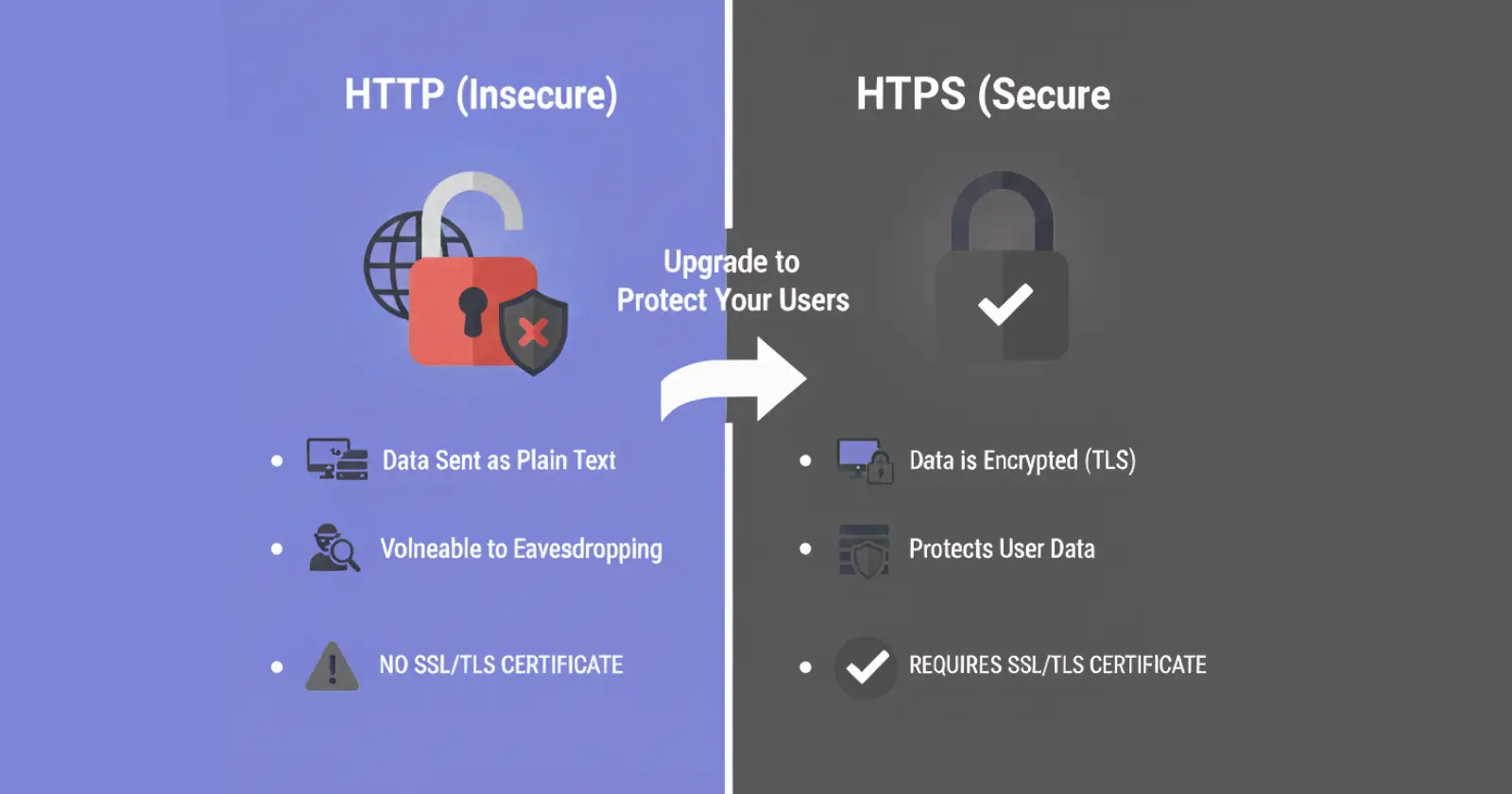
1. Website Security (HTTPS)

website security

A secure website is a ranking factor in Google’s algorithm. Using HTTPS ensures data privacy and builds trust with visitors.

Checklist:

  • Install an SSL certificate
  • Redirect all HTTP pages to HTTPS
  • Check for mixed content issues

This step is crucial in any technical SEO checklist for new websites.

2. Mobile-First Optimization

Google uses mobile-first indexing, which means the mobile version of your site is evaluated first.

Checklist:

  • Use responsive design
  • Ensure readable fonts on mobile
  • Avoid intrusive pop-ups
  • Test with Google Mobile-Friendly Tool
  • Mobile optimization is essential in a technical SEO checklist for Google ranking.

3. Website Speed & Core Web Vitals

Website speed is not just about user experience—it directly affects rankings. Focus on Core Web Vitals, including:

  • LCP (Largest Contentful Paint): Time for main content to load
  • INP (Interaction to Next Paint): Responsiveness of your page
  • CLS (Cumulative Layout Shift): Visual stability

Tips for beginners:

  • Compress images without losing quality
  • Enable browser caching
  • Minify CSS and JavaScript
  • Choose fast hosting
  • Speed optimization is a key part of any technical SEO optimization checklist.

4. XML Sitemap Setup

An XML sitemap helps Google discover and index your pages faster.

Checklist:

  • Create an XML sitemap for your site
  • Submit it via Google Search Console
  • Keep it updated when adding new pages

This step is essential in a website technical SEO checklist for beginners.

5. Robots.txt Optimization

Robots.txt controls which pages search engines can crawl.

Checklist:

  • Do not block important pages
  • Allow access to CSS and JavaScript files
  • Avoid errors that prevent indexing

Proper setup is part of every technical SEO audit checklist.

6. Crawl Errors & Indexing Issues

Regularly monitor your site for crawl errors:

  • Check Google Search Console for errors
  • Fix 404 pages with redirects
  • Resolve server errors (5xx)

Following this ensures your technical SEO checklist free remains effective.

7. SEO-Friendly URL Structure

URLs impact SEO and user experience.

Checklist:

  • Keep URLs short and readable
  • Use hyphens to separate words
  • Avoid unnecessary parameters

This is an important part of a technical SEO checklist with examples for beginners.

8. Internal Linking & Site Architecture

Internal links help search engines understand your site structure.

Checklist:

  • Link important pages frequently
  • Avoid orphan pages
  • Use descriptive anchor text

Internal linking improves crawlability and is part of every technical SEO checklist for bloggers.

9. Structured Data (Schema Markup)

Schema markup helps search engines understand your content better.

Beginner-friendly schemas:

  • Article
  • FAQ
  • Breadcrumbs
  • Organization

This is essential for modern technical SEO for beginners.

10. Index Control (Noindex & Canonical Tags)

Prevent duplicate content and indexing issues:

  • Use canonical tags for duplicate pages
  • Use noindex for thin or private pages

This step is crucial in a technical SEO checklist before publishing a website.

11. Duplicate Content Fixes

Duplicate content confuses search engines and affects rankings.

Checklist:

  • Use canonical URLs
  • Avoid publishing identical content
  • Fix URL variations

This is a key step in a technical SEO checklist for small websites.

12. Image Optimization for Technical SEO

Images affect speed and accessibility.

Checklist:

  • Use descriptive file names
  • Add alt text with keywords
  • Compress images to reduce size

This is particularly helpful in a technical SEO checklist for WordPress beginners.

13. Breadcrumbs, Pagination & Navigation

Proper breadcrumbs and pagination improve both UX and SEO.

Checklist:

  • Use breadcrumbs on all pages
  • Implement clean pagination for blogs and eCommerce
  • Ensure easy navigation for users

This completes a solid website technical SEO checklist.

How to Do Technical SEO for Beginners (Step by Step)

Here’s a simple workflow for beginners:

  • Set up Google Search Console
  • Secure your website with HTTPS
  • Optimize for mobile
  • Improve website speed
  • Submit an XML sitemap
  • Fix crawl errors
  • Optimize URLs and internal links
  • Add structured data
  • Monitor indexing issues
  • Perform regular audits

This workflow answers how to do technical SEO for beginners in a practical way.

Technical SEO Checklist for WordPress Beginners

WordPress powers millions of websites, and beginners often face technical SEO issues.

Checklist:

  • Install SEO plugins like Yoast or Rank Math
  • Configure XML sitemaps via plugin
  • Use caching plugins to speed up pages
  • Ensure mobile responsiveness via themes

Following this technical SEO checklist for WordPress beginners will make your site ready for ranking.

How Often Should You Do Technical SEO Audit?

  • Small websites: every 3–6 months
  • Large websites: monthly
  • Signs you need an audit: slow pages, drop in traffic, indexing issues

Regular audits help keep your technical SEO checklist 2026 up to date.

Common Technical SEO Mistakes Beginners Should Avoid

  • Blocking important pages in robots.txt
  • Ignoring mobile optimization
  • Publishing without checking Core Web Vitals
  • Not using canonical URLs
  • Forgetting structured data

Avoiding these mistakes ensures your technical SEO basics are solid.

Final Technical SEO Checklist for 2026 (Quick Summary)

Here’s a quick recap:

  • Secure your website with HTTPS
  • Optimize for mobile-first
  • Improve page speed and Core Web Vitals
  • Submit XML sitemap
  • Check robots.txt settings
  • Fix crawl errors and indexing issues
  • Create SEO-friendly URLs
  • Use internal linking strategically
  • Add structured data (schema)
  • Control index with canonical & noindex tags
  • Fix duplicate content
  • Optimize images
  • Use breadcrumbs and clean navigation

This technical SEO checklist 2026 ensures beginners have a step-by-step roadmap to rank on Google.

Conclusion

Technical SEO is the foundation for any website’s success in 2026. Without it, even the best content may never rank. Following this beginner technical SEO guide will help you create a site that is fast, secure, crawlable, and optimized for users and search engines.

By applying this technical SEO audit checklist and monitoring your site regularly, you are taking the first step toward long-term online success.
 

Judyann Sonido

Judyann Sonido

Content Writer

Browse All Articles (61)

Judyann is a Demand Generation Content Specialist at Thrive. She is a professional content creator with vast experience in producing multi-media materials for TV, radio, and other media platforms. She spends most of her free time exploring different cuisines and blogging about life.

Author

Manish Kumar

SEO Manager

Manish is a tenured writer with experience in digital marketing and demand generation. Having worked on both the agency and client sides, he understands the nuances of each. He insists on staying updated on technology, AI and marketing trends and aims to create content that adds value and resonates with readers.

#